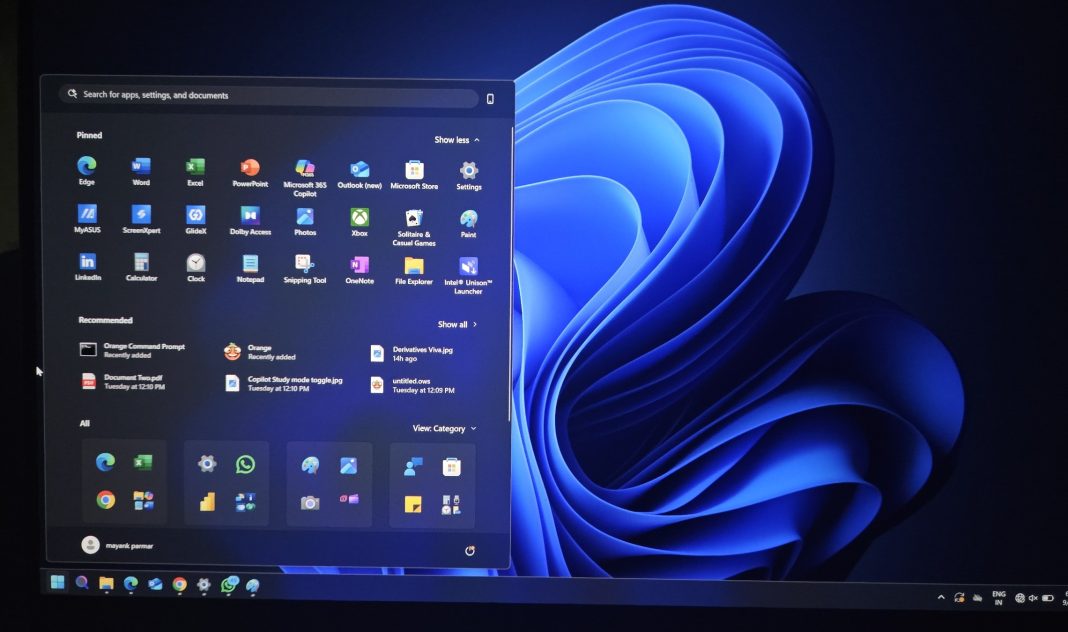
Microsoft’s Windows 11 embarked on a journey to redefine the desktop experience, promising a fresh, modern aesthetic built on the Fluent Design principles. Initially, this involved significant visual updates to key elements like the Start Menu, Taskbar, and Settings app. However, beneath the polished surface, a myriad of legacy user interface (UI) components from earlier Windows iterations, some dating back to the Windows XP or even Windows 95 era, persisted. Now, it’s becoming increasingly clear that Microsoft is systematically targeting these remaining vestiges of the past, undertaking a comprehensive overhaul to ensure a truly unified and contemporary user experience.
The Ambitious Push for UI Cohesion
The transition is not merely cosmetic; it’s a deep-seated effort to replace older, Win32-based UI elements with modern Universal Windows Platform (UWP) or WinUI 3 components. This means that familiar dialog boxes, property sheets, and system utilities, which have long retained their antiquated appearance and functionality, are finally receiving a much-needed refresh. From the ‘Network Connections’ properties dialogue to intricate ‘Print Management’ windows, the classic grey borders and pixelated icons are gradually giving way to the rounded corners, Mica effects, and clear typography synonymous with Windows 11.
A prime example of this aggressive modernization is the ongoing evolution of File Explorer. While it received an initial visual update with Windows 11, Microsoft continues to refine it, introducing new features and consolidating more legacy functions directly within the modern interface. Similarly, the Task Manager saw a significant redesign, moving away from its cluttered, multi-tabbed Win32 interface to a more streamlined, Fluent-inspired layout that’s easier to navigate and more consistent with the rest of the OS. Even seemingly minor elements, such as volume mixers, battery indicators, and Wi-Fi flyouts, are being rebuilt from the ground up to ensure they align with the new design language, offering better touch responsiveness and accessibility.
This systematic cleanup is crucial for several reasons. Firstly, it addresses the long-standing complaint of UI inconsistency, where users might jump from a beautifully redesigned Settings app to a archaic Control Panel dialogue, jarring the experience. Secondly, modernizing these components often brings underlying technological improvements, better integration with new hardware, and enhanced security features. It also paves the way for a more unified experience across different device types, including touch-enabled laptops and tablets, which are becoming increasingly prevalent in the market.
Implications for the Indian User Base
For a market like India, where Windows remains the dominant operating system across homes, educational institutions, and businesses, this widespread UI modernization holds significant implications. India’s vast and diverse user base ranges from tech enthusiasts adopting the latest versions to millions who rely on their PCs for daily productivity, often with a deep-seated familiarity with older Windows interfaces. A consistent and intuitive UI is paramount for seamless adoption and productivity.
While the visual refresh can initially introduce a slight learning curve, the long-term benefits of a cohesive design are substantial. A unified UI reduces cognitive load, making it easier for users to navigate the system without encountering jarring visual discrepancies. This consistency aids in better accessibility, ensuring that features are predictable and discoverable for users across various demographics and technical proficiencies. Moreover, a modern, well-maintained UI often reflects a more stable and secure underlying operating system, which is critical for both individual users and enterprises that form the backbone of India’s rapidly digitizing economy.
The push for modernization also indirectly supports the burgeoning hardware market in India. As PC sales continue to grow, particularly in segments like education and remote work, devices often come pre-loaded with the latest Windows versions. A fully modernized OS ensures that users get the most out of their new hardware, leveraging features like touch input and higher-resolution displays more effectively. “This aggressive push towards a unified design language isn’t just about aesthetics; it’s about building a future-proof operating system. While users may experience a slight learning curve, the long-term benefits in consistency and functionality will be substantial, especially for a diverse market like India,” stated Ankit Sharma, a Bengaluru-based tech analyst.
Microsoft’s commitment to stripping away legacy UI elements is an ambitious undertaking, representing a significant investment in the future of Windows 11. It’s a testament to their vision of an operating system that is not only powerful and feature-rich but also visually coherent and universally accessible. As these updates continue to roll out, Indian users can look forward to an increasingly refined and modern Windows experience, reducing fragmentation and enhancing overall usability across their digital lives.
The journey to a completely legacy-free Windows UI will undoubtedly be a gradual one, but the direction is clear: a sleeker, more consistent, and ultimately more user-friendly operating system for everyone.